eMotion Video

Video courses

Walk out able to film your own story, boldly.

Practical, hands-on training that leaves you able to plan, film and edit professional video, using the phone already in your pocket.

Built for time-poor professionals. Plain language, clear steps. Many people make their first shareable video the same day.

See the ways to work with us Help me choose
2,500+
People trained
35+
Years in media
Hands-on
Every session, start to finish
In person or online
Across regional Queensland and beyond
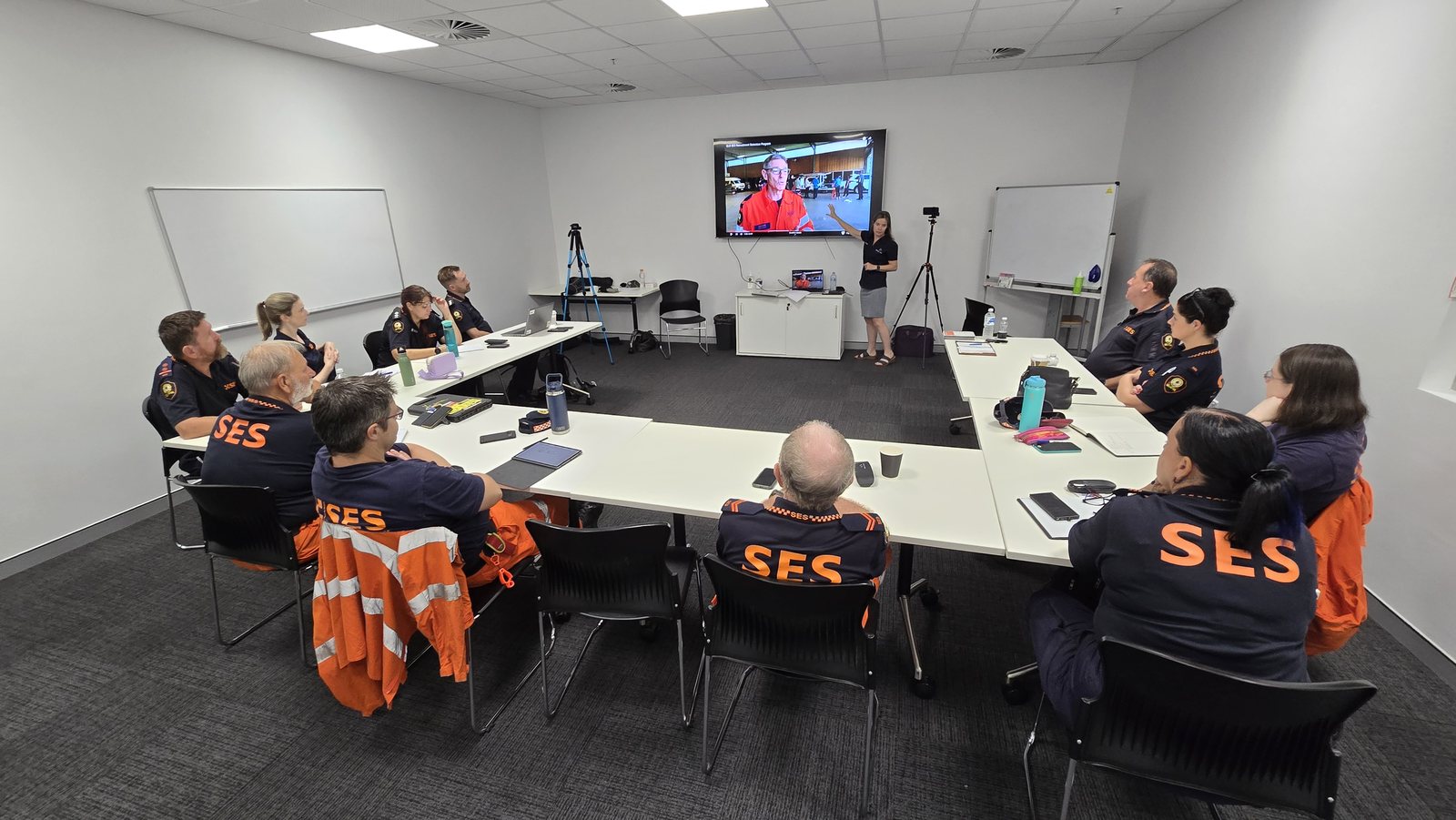
Suzie leading a smartphone video training session with a Townsville SES team
Northern Region SES team learning to film and review their own video, in the room, on the day, Townsville.

What you walk away with

Skills you can use the same day.

You do not need a studio or an expensive kit. By the end you can plan a video, film it properly and edit it into something you are proud to publish, on the gear you already have.

  • A finished video you created on the day, ready to share.
  • The confidence to film and edit on your own, without waiting on anyone.
  • A planning template you can reuse for every video that follows.
See the ways to work with us
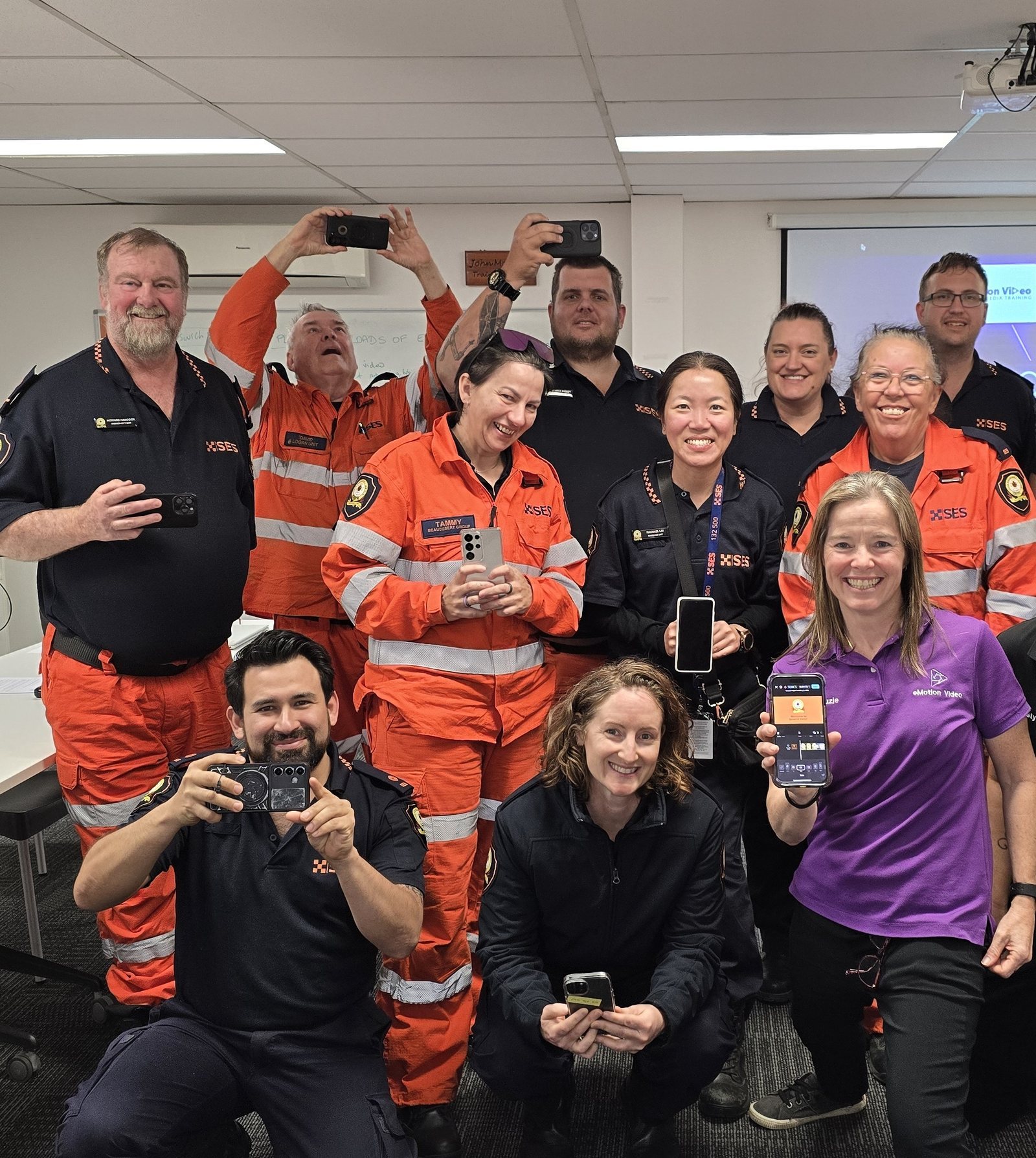
An SES team in Ipswich holding up their phones after a smartphone video training day with Suzie

Ways to work with us

Start wherever your team is.

A short course for a community group or a government team. A one or two day intensive for a business upskilling its own people. Or mentoring, with or without the training first, if you already know a little and just want someone beside you.
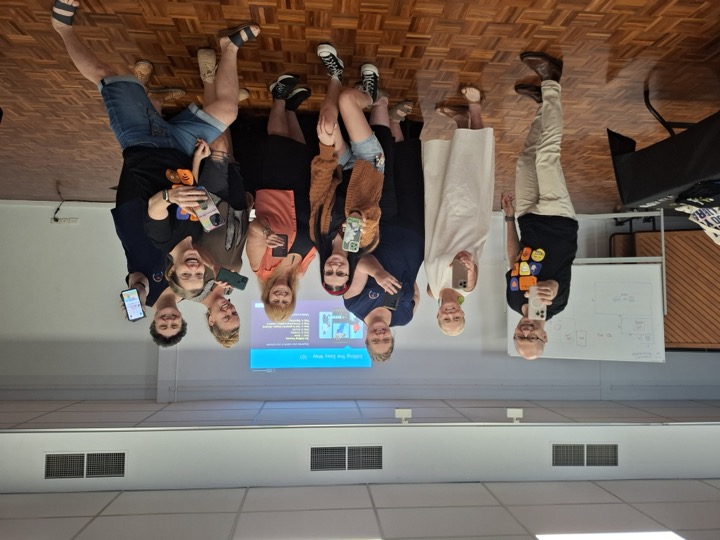

A community group holding up their phones at the end of a video training session
Community and government · from 2 hours

Short courses for your program

For councils, libraries, community organisations, government teams, and the grant-funded programs that pay for digital upskilling. Focused sessions from two hours upward, often run through a program you already have or a grant you already hold. We have delivered these courses for State Library of Queensland since 2024, in public libraries from Mount Isa, Cloncurry and Julia Creek across to Townsville, Kuranda, Mareeba and Atherton, most recently in February 2026. We are always glad to hear from other program coordinators.

Good to know
  • Everyone makes real content on the day, on the phones they already carry
  • Sessions sized to your program and your budget
  • Need AI and digital skills too? Those courses run the same way. See the AI training
Book a free chat
Local Buy pre-qualified supplier Pre-qualified supplier, so procurement stays simple
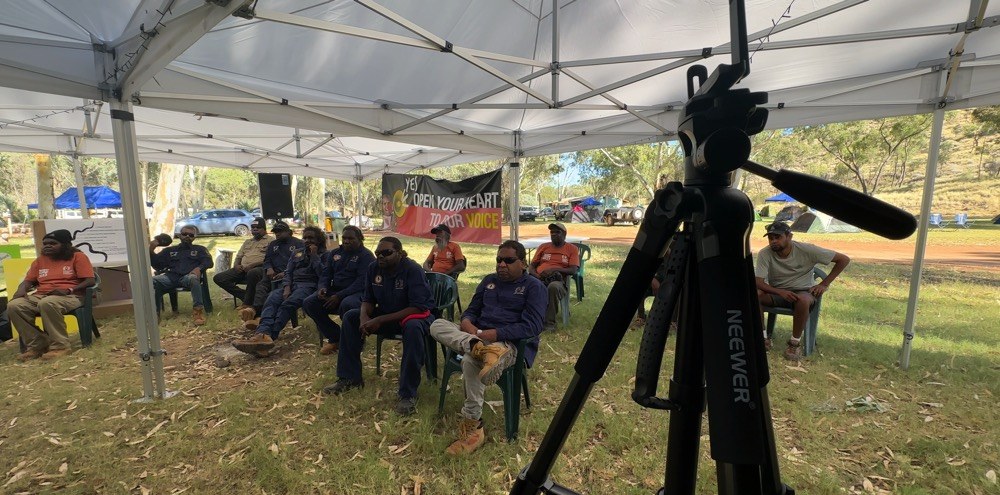
A team learning video together at an on-country training session
Business and organisation teams · one or two days

Team training that sticks

A one or two day course for a business, land council, ranger group or any organisation that wants its own people filming and editing in-house, rather than outsourcing every video. Planning, filming, editing and publishing, and everyone makes something real before they leave.

You walk out with
  • A finished piece of content each person created that day
  • The confidence to film and edit without help
  • A shot list and planning template your team can reuse
Book a free chat
Local Buy pre-qualified supplier Pre-qualified supplier, so procurement stays simple
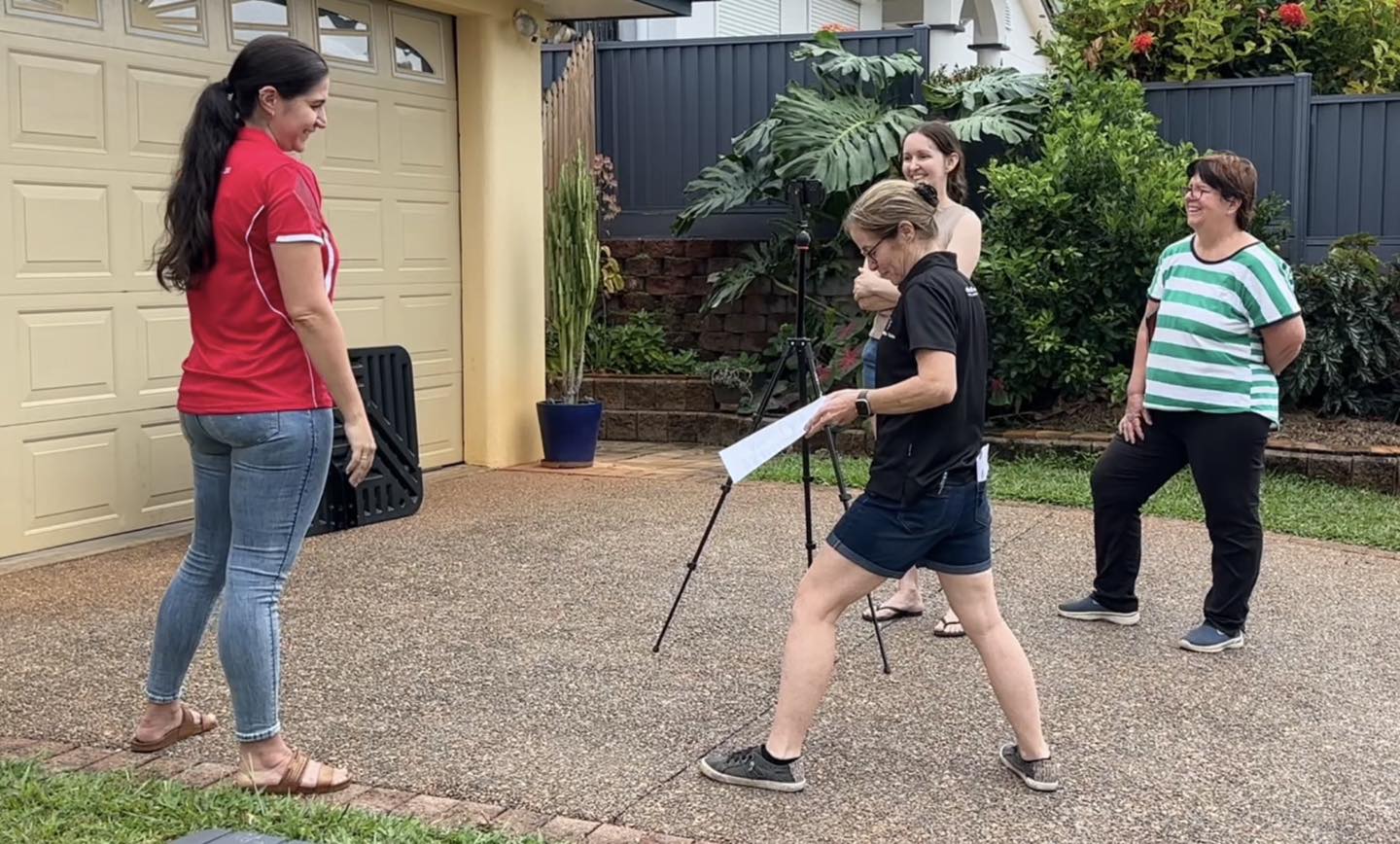
The North Queensland Animal Rescue team filming their own video outdoors
Our flagship

Ongoing · monthly or as you need it

Video Co-Pilot Mentoring

The perfect next step after a course, and the program we are proudest of. A course gives your team the skills. Mentoring is what makes them stick. Once you are back at your desks and the real work starts, we stay beside you: script review, feedback on rough cuts, platform advice and a steady hand while the skills take hold. It is the difference between learning video once and actually keeping it going.

You do not have to do a course first. If your team already knows a little and just wants someone beside them, we start right there.

  • Feedback on every piece of content you create
  • A mentor who knows your context and your goals
  • Consistent improvement without the guesswork
Course graduate On the support that follows

“No question is stupid and having the ability to follow up with Suzie post training has felt really supportive as I go on this journey of learning new skills.”

Leila Daniels
Senior Communications and Program Officer, Jobs Tasmania, Department of State Growth

Every format runs in person, online, or as a live webinar. None of this sits on a waitlist. We run it as soon as you book, across regional Queensland, Australia, and further when a project calls for it.

What you learn

Everything from first idea
to published video.

Seven steps, no film school. Every course is shaped around your team, so treat this as a starting point.

01

Plan your story

Before you pick up the camera, get clear on what this video is really for. Answer these three and everything after gets easier:

  • What do you want to happen when someone watches it?
  • Who are you really talking to?
  • Why are you making this video?
02

Set up your phone

The phone in your pocket is already good enough. It just needs setting up so it holds steady, and so the footage plays nicely with your computer when you sit down to edit it later.

  • Settings that match your edit
  • Lock your focus and exposure
  • Steady, without the shake
03

To gear or not to gear

Most gear is a distraction that quietly drains your budget. A small handful of things genuinely change the result, and I will tell you straight which ones are worth it and which you can happily ignore.

  • Buy the microphone first
  • What can wait
  • What you already own
04

Light and sound

Find a window and use it, no studio required. Then protect your audio, because people will forgive a soft picture long before they forgive sound they cannot quite hear.

  • Natural light, for free
  • Bad audio quietly kills good footage
  • Rooms that fight you
05

On camera

The nerves are normal, and they are not the thing stopping you. You will learn to be calm, clear and yourself on camera. And if being in front of the lens is not for you, you will learn to draw a real answer out of someone else when you are the one asking. Either way, it is about capturing something that feels real.

  • Settle the nerves before you record
  • Talk to one person, not an audience
  • Questions that open people up
06

Edit like a pro

This is where an ordinary clip turns into a story that holds people. Cutting, pacing, captions, music and transitions, on your phone or your desktop, in the free apps and the paid ones.

  • Cut for pace, not perfection
  • Captions, because most watch on mute
  • Music that lifts, not buries
07

Publish and grow

Getting it out the door is a skill of its own. Then we build the habit, because one video changes very little and a hundred of them change everything about how people find you.

  • Export settings per platform
  • A rhythm you can actually keep
  • Read what worked, do more of it

By the end you are not following a checklist. You are making decisions like someone who knows why they are making them.

A first idea in, a published video out.

Want to go deeper on the editing side specifically? Our dedicated editing courses cover CapCut and Premiere Pro in more depth.

Explore Editing Courses →

Who it is for

Built for teams who make things happen.

Government and council teams making community content, consultation videos and internal comms at scale.

Not-for-profits and health organisations telling client stories and explaining services simply.

Small business owners growing through video without a production budget behind them.

Communications and marketing teams bringing video in-house to move faster and spend less.

Indigenous organisations documenting culture, community and language for the people who need it most.

Entrepreneurs and creators building a channel or a steady social presence that grows an audience.
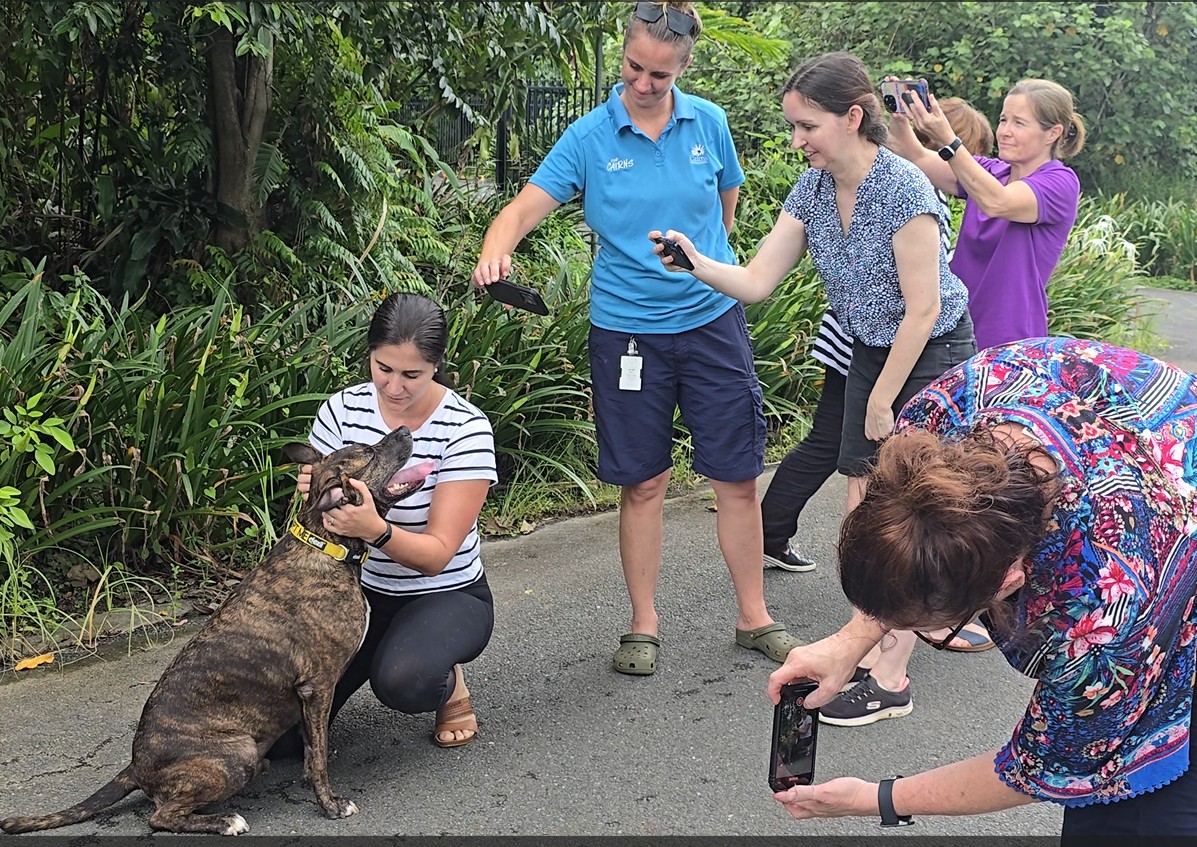
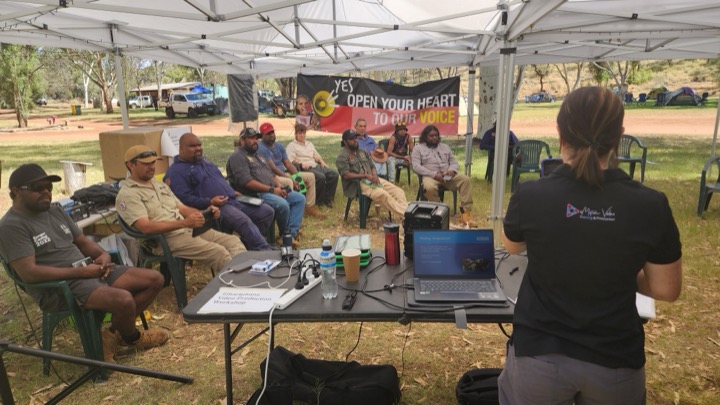
An NQAR course group filming together during training
Suzie presenting a video training session to a community group on Country
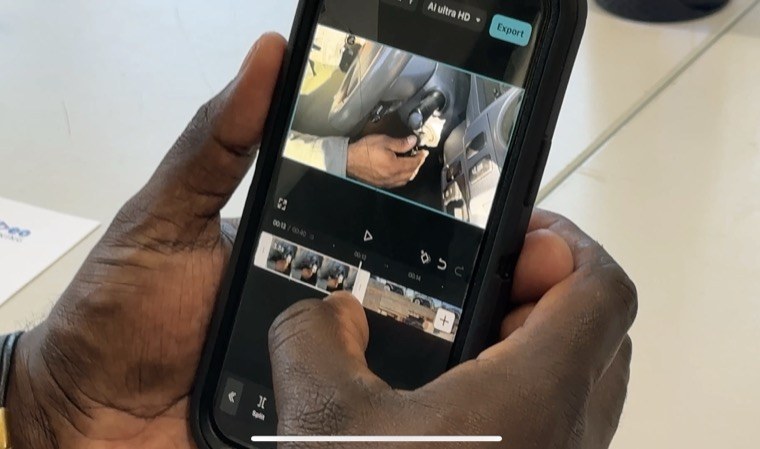
A participant editing their video on a phone

What people say

Real results.

★★★★★

“It is amazing how easy it is to use CapCut to transform something so simple into a really professional production that pops. It has been a fantastic experience.”

Chris Watts
Area Controller, State Emergency Service, Far Northern Region
Watch the video →
★★★★★

“I recently completed a video mentorship and could not be more thrilled. The coaching significantly boosted my video skills and confidence. The tailored feedback, simple tweaks and constant encouragement made a huge difference.”

Participant, not-for-profit sector

See the post on LinkedIn →
★★★★★

“I feel a lot more confident to be able to take a variety of different shots and also to edit those videos. I would recommend these courses for anyone who’s in business who’s looking to promote either their product or service.”

Krystal King
A/Principal Program Officer, Department of Trade, Employment and Training
Watch the video →
★★★★★

“This is a great course designed to be practical and hands on, with fast and professional results. Suzie was a wonderful teacher and met everyone at their levels.”

Tamera Simpson
Producer, Wildlife Pictures

Not sure which course fits?

That is exactly what a first chat is for.

Tell me a little about your team and what you want to make, and I will point you to the right starting point. No pressure either way. If the Foundations course or mentoring is not quite the fit, we will find what is.

Start a conversation

Funding your training

Grants can cover your training.

Would you like support to build your team's video, editing or AI skills? There are funding options for video and AI training across Queensland and Australia. We can deliver private workshops, ongoing mentoring, or coach on presentation and other media skills.

Queensland small business

Business Queensland programs like Business Basics and Business Boost help small businesses build digital, marketing and content skills.

See Queensland grants →

Small business Australia-wide

The federal grants and programs finder lists hundreds of grants you can filter by industry, location and business stage.

Search the national finder →

Indigenous businesses and corporations

Indigenous Business Australia offers finance, grants and free workshops for Aboriginal and Torres Strait Islander businesses and corporations.

Explore IBA support →

See what is open right now

The current Queensland small and family business grants schedule, so you can check which rounds are open before you apply.

View the grants schedule →

Pricing guide

Clear formats, and a price before you commit.

The day rate is the same whether it is video, editing or AI. Pick the shape that fits your team, then we tailor the content to what you actually do. Every group format takes up to 20 people.

One on one
$250
plus GST
  • Just you, 2 hours
  • One skill, sorted
  • The easiest first step
Half day
$3,000
plus GST
  • Your team, up to 20
  • The essentials, hands on
  • From $150 a head with a full team
Best value Full day
$5,500
plus GST
  • Your team, up to 20
  • Thorough and hands on
  • From $275 a head with a full team
Two day intensive
$8,250
plus GST
  • Your team, up to 20
  • Start to finish, deep
  • From $413 a head with a full team
Mentoring

The perfect next step after a course. A course gives your team the skills. Mentoring is what makes them stick.

from $2,000 per month
plus GST

These prices are a starting point to help you plan. Group size, travel and how tailored you want it all shape the final quote. Not sure which format fits your team? Have a chat and we will build it around you.

Build your session

Ready to lock in a date?

Know which format is right for your team? Let's get it in the diary. Tell us your team size, preferred format and timing, and we will make it happen.

Book a free chat Browse Editing Courses